
Getting Started with Companies in Metanow CRM
The Companies feature in Metanow CRM enables you to manage business relationships at the company level, moving beyond a sole focus on individual contacts. This functionality is especially beneficial for organizations that interact with multiple contacts from the same company or require a unified view of all interactions and tasks associated with a business entity.
TABLE OF CONTENTS
- Feature 1 - Create, Edit, and Save Company Details
- Feature 2 - Create and Manage Custom Fields
- Feature 3 - Customize the List View
- Feature 4 - Advanced Filters
- Feature 5 - Sorting
- Feature 6 - Search Across Standard and Custom Fields
Feature 1 - Create, Edit, and Save Company Details
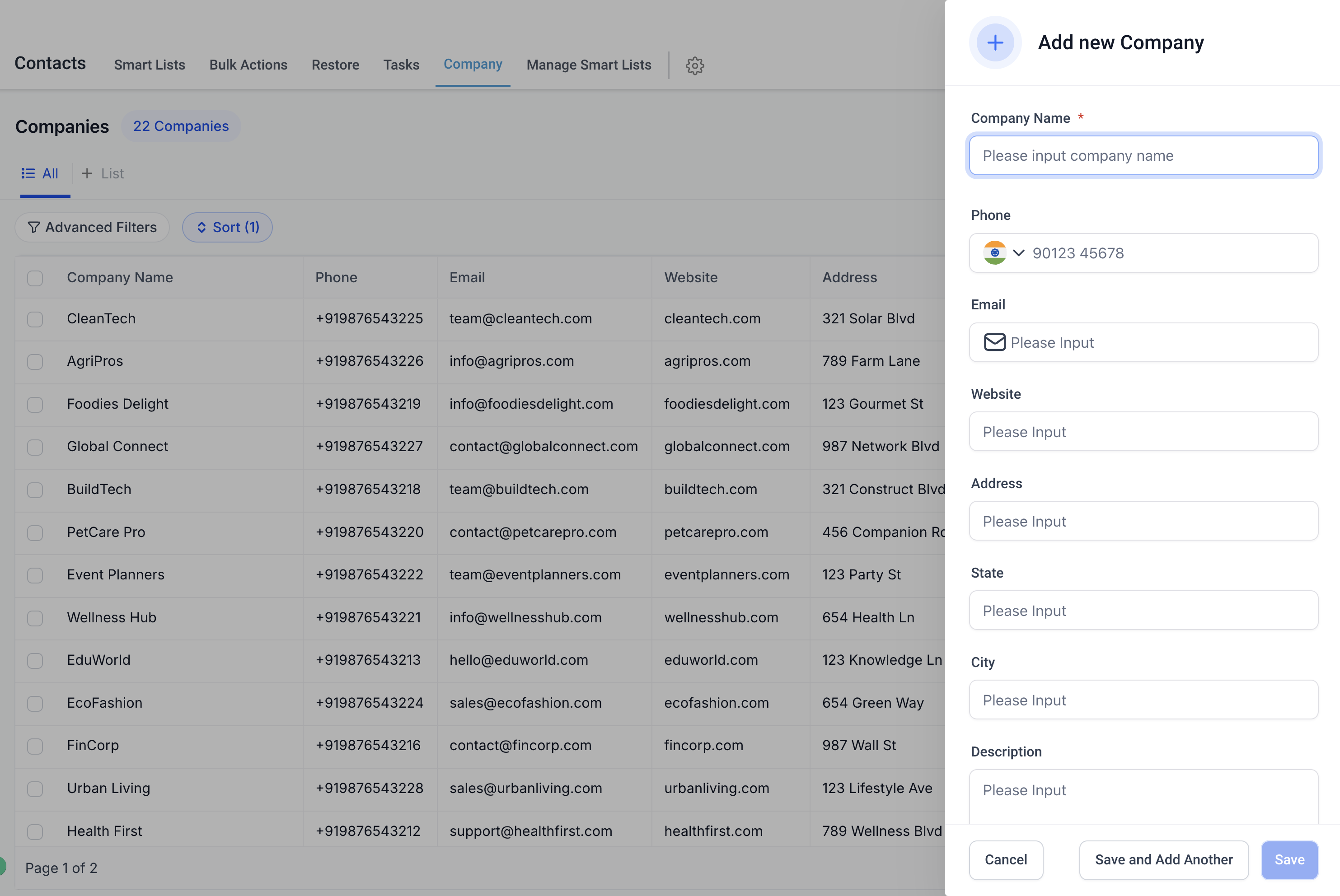
You can easily add new companies to your database or update details for existing records. You can store essential information such as:
- Company Name
- Phone Number
- Email Address
- Website
- Address (including State, City, Postal Code, and Country)
- Description of the company
This ensures that all critical business details are stored in one place, accessible to your team whenever needed.
Feature 2 - Create and Manage Custom Fields
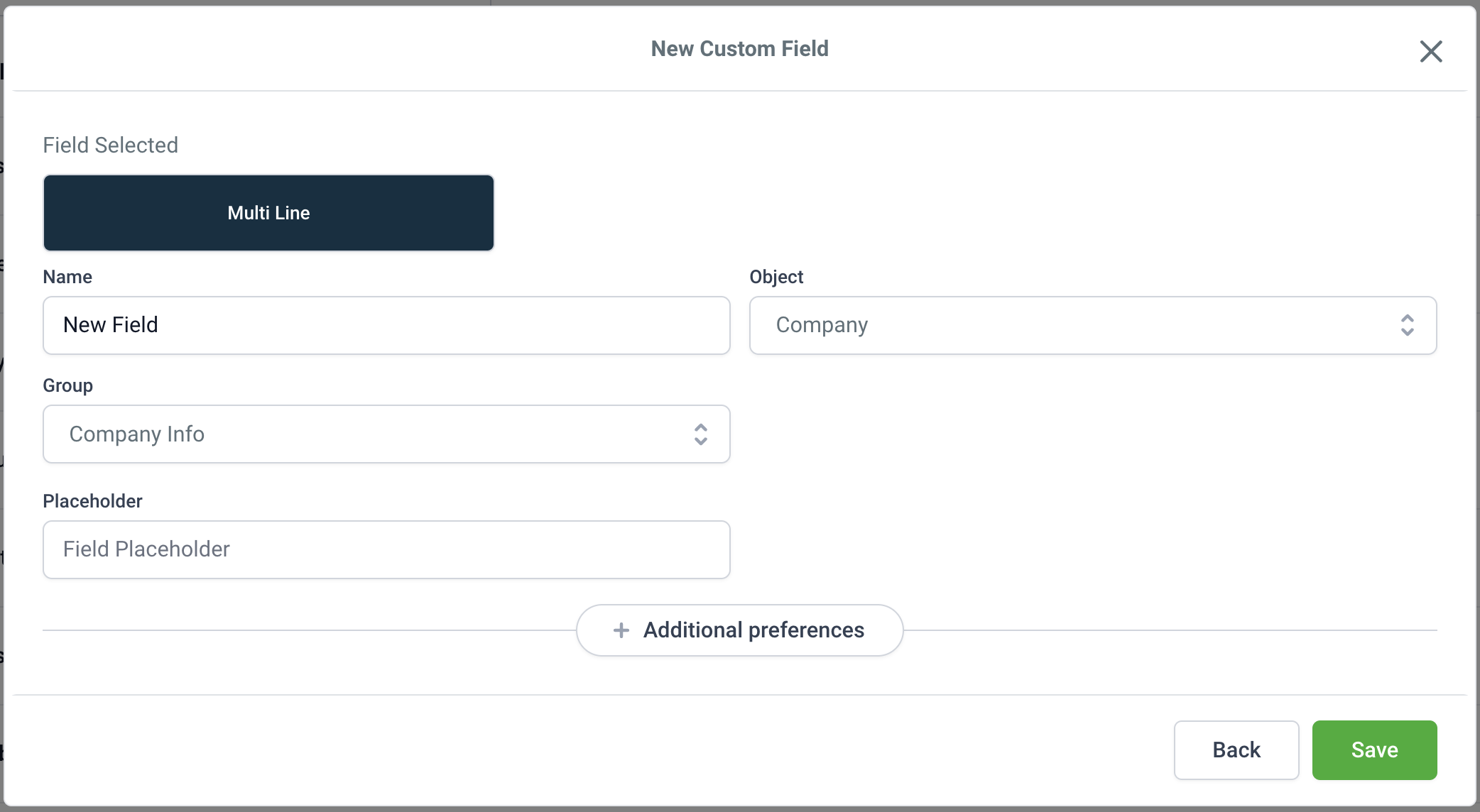
The Companies feature lets you create custom fields tailored to your specific business requirements. This flexibility allows you to track additional data points, such as:
- Industry type
- Revenue range
- Number of employees
These custom fields are simple to create, edit, and manage, helping you personalize the information you track for different companies.
Feature 3 - Customize the List View

The List View provides a comprehensive snapshot of your companies. You can personalize this view using the Manage Fields option to decide which columns to display. For example, you can include or exclude fields like "Website" or "State" to match your requirements. This ensures that you see only the most relevant information at a glance.
Feature 4 - Advanced Filters
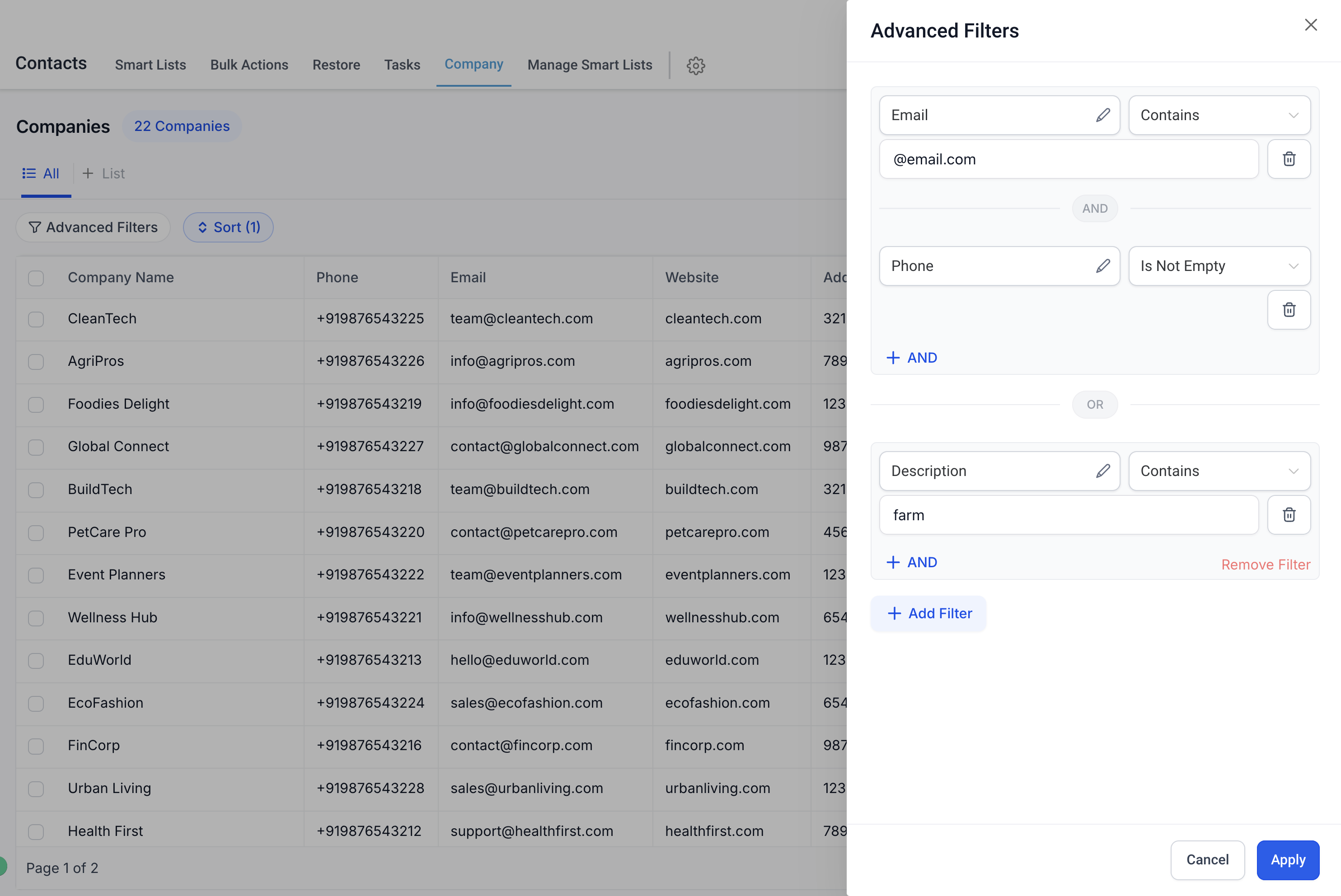
The Advanced Filters feature helps you refine your company records based on specific criteria. You can apply filters to standard fields like "City" and "Email" or to any custom fields you have created. This simplifies finding exactly what you need, such as companies located in a particular state or those in a specific industry.
Feature 5 - Sorting

Effortlessly organize your data by sorting your company records. You can sort by various fields, such as "Company Name," "City," or "State," ensuring you can quickly locate the companies most relevant to your tasks.
Feature 6 - Search Across Standard and Custom Fields

The Search functionality is robust, allowing you to find company records based on any standard or custom field. For example, you can search for companies by name, phone number, or even specific custom field values depending on the searchable fields set up for Companies. This feature ensures that no matter how large your database grows, finding the right information is always quick and easy.
Examples of Use Cases
- Sales Teams: Track potential clients and their details to streamline the sales pipeline.
- Account Management: Maintain updated contact information for partners and vendors.
- Marketing Teams: Segment companies by industry or location for targeted campaigns.
