
How to Record Pageviews in Google Analytics (GA4) for Funnels & Websites
This step-by-step tutorial will guide you through setting up Google Analytics 4 (GA4) to record pageviews for your funnels and websites.
Step 1: Log into Google Analytics
Step 2: Go to Admin Settings
Step 3: Create and Name Your Property
Click on Create Property and add a name for the property.

Step 4: Go to Data Streams
In the property settings, navigate to Data Streams, which is located in the left menu.

Step 5: Set Up Your Web Data Stream
Choose the 'Web' option and add the URL of the funnel or website you wish to track. Once you have entered the URL and named your stream, click the 'Create Stream' button.

Step 6: Install Your Google Tag
Add the script (gtag.js) provided by Google to your Funnel or Website's tracking code. Alternatively, you can follow the instructions provided for Google Tag Manager.

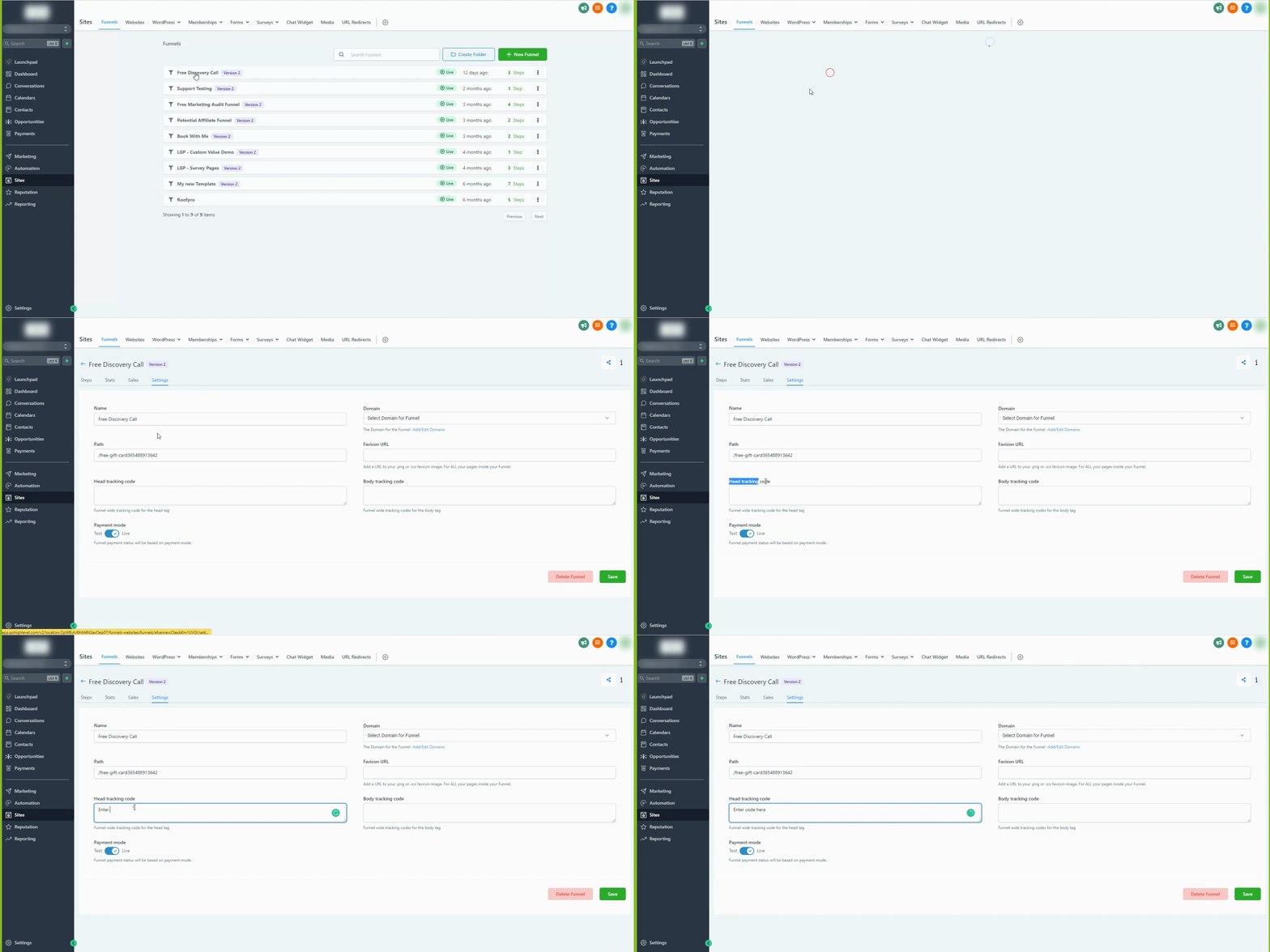
How to Add the Google Site Tag (gtag.js) to Your Funnel/Website
Follow the steps shown below to add the Google Site Tag to the head tracking code section of your funnel or website settings in Metanow CRM.